%20(1)_.png)
One Planner for Everything: What Can It Help You Organize?

Updated: 5 days ago
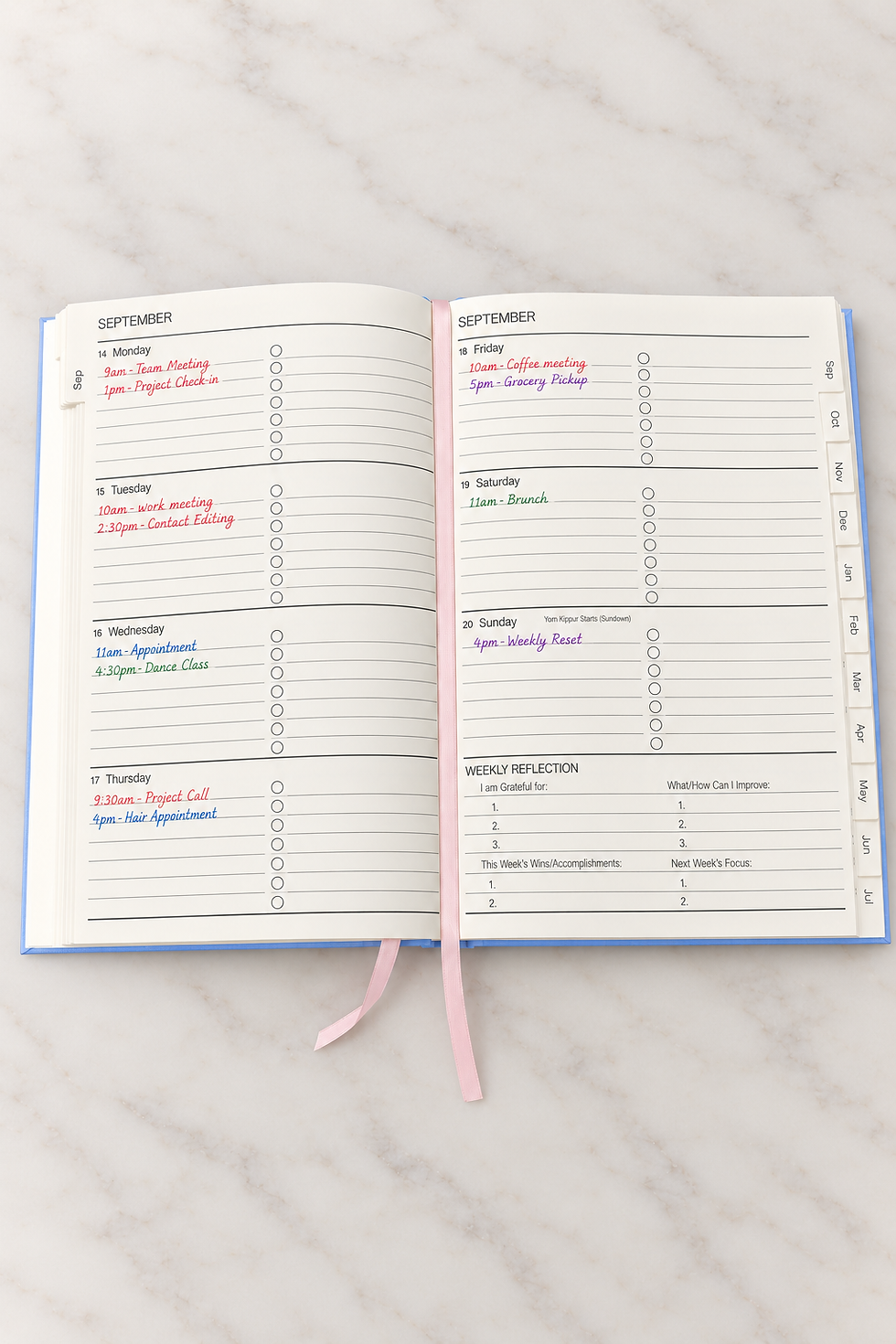
Your work deadlines are in one place. Appointments are somewhere else. Grocery lists live in your phone, goals are in a notebook, and a few reminders are still floating around in your head.
Using one planner for everything does not mean planning every minute of your life. It means giving the things you need to remember one reliable place to live. From work and home to meals, routines, and personal goals, here are practical ways to organize more of your life without creating another complicated system.

1. Work Deadlines, Meetings, and Priorities
Work can quickly become scattered across calendars, emails, sticky notes, and mental reminders. Your planner can give the pieces that actually matter this week one place to live.
Use it to keep track of:
Important deadlines
Meetings and appointments
Weekly priorities
Follow-up reminders
Project tasks
Things you do not want to forget
You do not need to copy every detail from your work calendar or inbox into your planner. Focus on the information you need when deciding what deserves your attention. Use your monthly view for major deadlines, events, and important dates. Then move the actions that matter right now into your weekly pages.
Realistic tip: At the beginning of the week, choose your three most important work priorities before smaller tasks start filling the page.
2. Home Errands, Household Tasks, and Appointments
Home responsibilities can pile up just as quickly as work tasks. Groceries, returns, appointments, bills, cleaning, errands, and household reminders often end up scattered across different lists.
Keeping them in the same planner as the rest of your week helps you see what actually fits. Use your planner for things like:
Grocery and errand reminders
Appointments
Bills and due dates
Returns
Household tasks
Maintenance reminders
Family or personal plans
Seeing these responsibilities next to your work schedule gives you a more realistic picture of your week. Instead of planning work first and squeezing everything else in later, you can see your full workload from the start.
Realistic tip: Group errands together when possible. If you already know you will be out for an appointment, add nearby returns or shopping to the same day.
3. Meals and Everyday Routines
Meals and routines are small parts of the week that can create a surprising amount of mental clutter. Writing them down means you have one less thing to keep remembering throughout the day.
You can use your planner for:
Dinner ideas
Grocery reminders
Meal prep plans
Workout days
Morning or evening routines
Recurring weekly tasks
Personal reminders
This does not mean you need to track every habit or plan every meal perfectly. Keep the things that actually help your week run more smoothly.
Realistic tip: Choose two or three routines that make the biggest difference in your week and give them a consistent place in your planner.

4. Personal Goals and Plans
Goals are easy to push aside when everyday responsibilities take over. Keeping them in the same planner as your weekly schedule helps turn them into something you can actually act on.
Use your planner to keep track of things like:
Personal projects
Fitness or wellness goals
Savings goals
Travel plans
Reading goals
Creative projects
Business ideas
School or learning goals
The most important part is making the goal specific enough to act on. Instead of writing “work on my business,” write something like:
Photograph new products
Update one product listing
Send two outreach emails
Plan next week’s content
That way, your planner holds the next step, not just the bigger idea.
5. Notes and Reference Lists You Want to Keep
Not everything in your planner needs to be tied to a specific day. Some information is useful simply because you know you will want to come back to it later. Keeping those notes in one place can save you from searching through screenshots, texts, random notes apps, or scraps of paper.
Use your notes pages for things like:
Gift ideas
Books to read
Packing lists
Project notes
Questions for an appointment
Measurements
Restaurants to try
Ideas you want to revisit
Running lists for home, work, or school
The goal is not to fill every notes page. It is to give useful information a clear home so you know exactly where to look when you need it.

6. What Belongs in Your Monthly View, Weekly View, and Notes Pages?
One of the easiest ways to keep your planner from feeling cluttered is to give different types of information a consistent home.
Monthly View
Use your monthly pages for the bigger picture:
Appointments
Events
Birthdays
Travel
Major deadlines
Important due dates
Your monthly view should help you quickly see what is coming up and which weeks may be busier than others.
Weekly View
Use your weekly pages for what actually needs your attention right now:
Priorities
To-do lists
Meetings
Errands
Meal plans
Reminders
Smaller deadlines
Routine tasks
This is where bigger plans turn into specific actions.
Notes Pages
Use notes pages for information that is useful but does not belong to a specific day:
Reference lists
Project notes
Ideas
Brain dumps
Planning lists
Trackers
Things you want to remember later
There is no perfect setup. The goal is simply to know where to look when you need something.
7. How to Keep One Planner for Everything Working Each Week
Even a good planner can start to feel scattered if you never reset it. A short weekly review helps you catch unfinished tasks, look ahead at upcoming commitments, and make sure your planner still reflects what is actually happening.
Once a week, take a few minutes to:
Look at the week you just finished.
Move forward any unfinished tasks that still matter.
Check your monthly view for upcoming events and deadlines.
Review appointments and commitments for the week ahead.
Choose your biggest priorities.
Add errands, meals, routines, or personal plans that need a place.
This does not need to become a long Sunday planning routine. Ten focused minutes can be enough to make your planner useful again for the week ahead.
Realistic tip: If something has been moved forward several weeks in a row, decide whether it still matters before copying it over again.
Frequently Asked Questions
Can I Use One Planner for Work and Personal Life?
Yes, if that works for your schedule and privacy needs. Keeping both in one planner can make it easier to see how work, appointments, errands, and personal plans all compete for the same time.
If some work information needs to stay private, keep sensitive details in your approved work system and use your planner for general deadlines, meetings, and priorities.
What Should I Put in My Planner Each Week?
Start with the things that are time-sensitive or most important:
Appointments
Deadlines
Weekly priorities
Errands
Meetings
Meals
Personal plans
Then add routines or smaller tasks if they help you manage the week.
Should I Use a Paper Planner if I Already Use a Digital Calendar?
You can use both. A digital calendar is helpful for alerts, shared events, and exact appointment times. A paper planner can give you space to see your priorities, tasks, notes, and plans all in one place.
Think of your planner as the place where you decide how everything fits into your week.
What If I Stop Using My Planner for a Few Days?
Just start again where you are. You do not need to fill in missed pages or recreate everything you skipped. A realistic planning system should be easy to come back to whenever you need it.

Give One More Part of Your Life a Home
You do not need to reorganize your entire life at once. Start with one category that currently lives somewhere else. Maybe it is your grocery list, work priorities, appointments, meal plan, or a running list you keep trying to remember.
Give that one thing a permanent home in your planner this week. Once you know where to look for it, you can build from there.


Comments